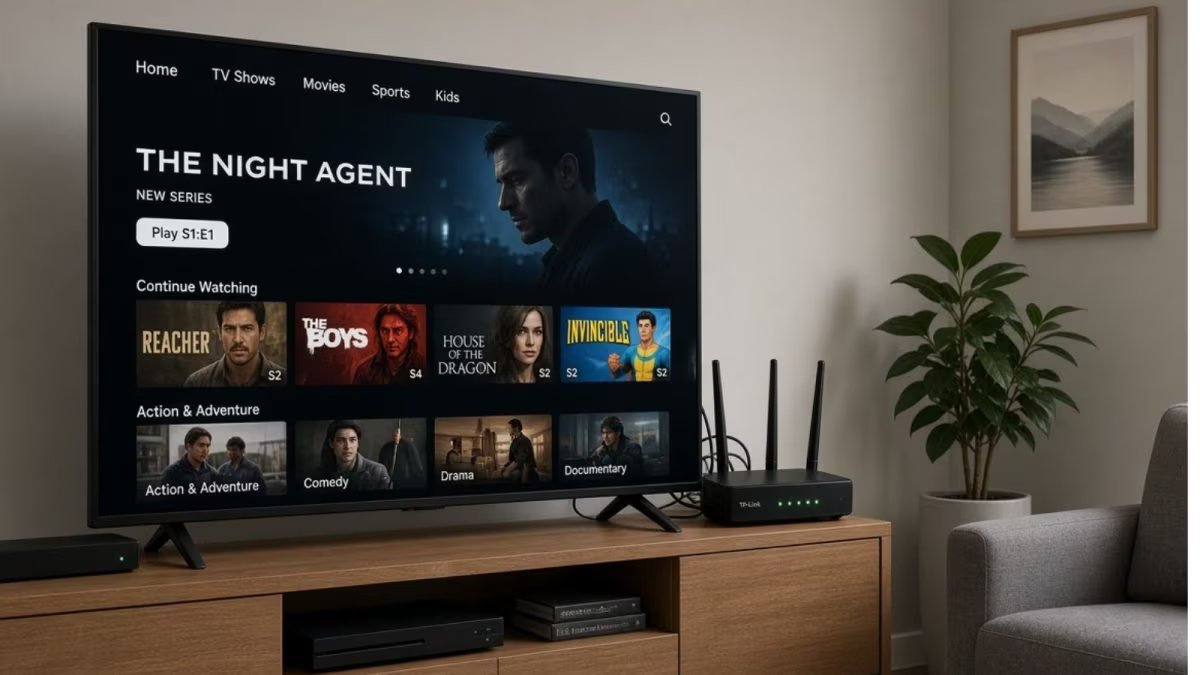
This small thing like where to keep the WiFi router in the house makes a big difference. Especially keeping the router near the TV has a direct impact on the internet speed. Many people install the router behind or very close to the TV so that the wires are hidden.

But this mistake can weaken the speed, cause problems like frequent disconnections and increase problems in Netflix or online gaming. Let us understand at what distance the router should be from the TV and why.
A WiFi router sends signals using radio waves. TV is also an electronic device that contains circuits, metal parts and sometimes its own WiFi module. When the router is too close to the TV, both interfere with each other’s waves. This is called interference.
The result is that the signal becomes weak, the speed drops and the connection becomes unstable. This problem is especially visible on the 2.4 GHz band, which is used in most homes.
what should be the distance
Experts recommend keeping the router at a distance of at least 1 to 2 meters from the TV. If possible, 3 meters or more is better. Avoid placing the router directly behind, below or above the TV. Also do not place the router on a metal stand or inside a closed cabinet as walls and metal block the signal. The best way is to place the router in the middle of the house, at a slight elevation such as on a shelf or table. Due to this the signal spreads evenly throughout the house.
What happens if you make a mistake?
The speed may remain half. Videos start buffering, video calls break and online work gets delayed. Smart TV itself connects to WiFi, so if the router is nearby, the connection of the TV may also be affected. In the long run, this problem puts additional burden on the router and the device may overheat quickly.
Follow some easy tips to improve speed. Place the router in an open area where there is air and space all around. Also keep away from microwave, cordless phones or Bluetooth devices as these also interfere. Use the 5 GHz band if the router and device support it, as it has less interference. Adjust the router’s antenna in the correct direction. Restart the router regularly and keep the firmware updated.
This trick also worked…
If the house is big then you can use Mac or WiFi extender. But the location of the original router is most important. By keeping the right distance from the TV, you can see improvement in speed without any extra expense. With a little care, the internet experience becomes much better. Next time while installing or shifting the router, keep distance from the TV. Having a router at the right place will not only keep the speed good but the connection of the entire house will remain stable.